5 to 7
Junior Thinker
ScratchJr and codeSpark Academy on a tablet: picture blocks that make a character move and a story play back, with nothing to read and nothing to spell.
Junior Thinker, coding and robotics for ages 5 to 7 →Your privacy choices
We use cookies that are needed to run the site, and — only if you agree — cookies that measure how the site is used and how our ads perform. You can change or withdraw your choice at any time from “Cookie preferences” in the footer. Our Privacy Policy lists every tool we use and how long we keep the data.
Where the logic is visible, and every class ends with something working.
Scratch is where most of our students start. It's Levels 1 to 4 of Junior Creator: complete games and simulations built from blocks, with variables, logic and functions along the way, and their first trained AI model. Five to seven-year-olds start a step earlier, with ScratchJr in Junior Thinker.
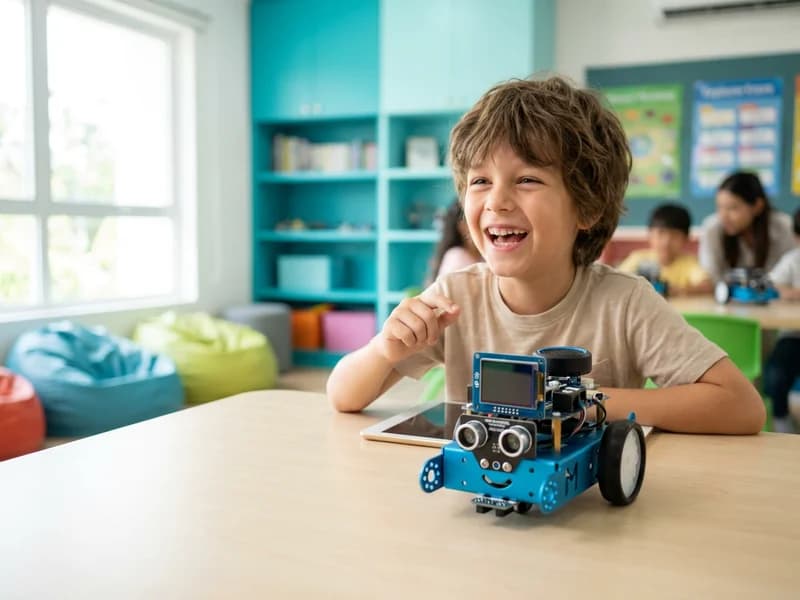
Scratch is Levels 1 to 4 of Junior Creator, our in-person coding program for kids ages 7 to 14, and is usually taken between ages 7 and 12. Students build complete games, animations and simulations from blocks, and train their first AI model, before moving on to Python.
Block coding comes in two sizes: picture blocks for children who are not reading fluently yet, and Scratch for those who are.
5 to 7
ScratchJr and codeSpark Academy on a tablet: picture blocks that make a character move and a story play back, with nothing to read and nothing to spell.
Junior Thinker, coding and robotics for ages 5 to 7 →7 to 14
Scratch is the first of four tracks: Levels 1 to 4, from their first game to physics, particles and procedural worlds, before they move on to Python.
Junior Creator, coding and AI for ages 7 to 14 →Each level is ten 60-minute lessons. A child who is ahead can test out of a level and move up.
Sequences, motion and animation, their first game, and a robot that speaks four languages.
Variables, logic and clones, with enemies and a chatbot that follow rules they wrote.
Functions, lists and generative art, plus a real image model they train and then play at rock, paper, scissors.
Physics, particles and procedural worlds, plus a trainable neuron that learns in front of them.
It looks like one, which is the point. The blocks take typing and spelling out of the way, so the hour goes on the thinking: sequences, variables, logic, functions and lists, the same ideas a professional programmer works with.
By Level 3 your child is training a real image model and playing rock, paper, scissors against it. By Level 4 it's physics, particles and procedural worlds. When they reach Python at Level 5, the logic comes with them.
School coding is usually Scratch. A child who has covered the early levels can test out of them and start further along.
19 centres across Ontario, British Columbia and Alberta. Schedules and prices are set by each centre and shown on its own page.
Junior Creator's Scratch levels are usually taken between ages 7 and 12. Children five to seven start with ScratchJr in Junior Thinker, which uses picture blocks and needs no reading.
ScratchJr uses picture blocks on a tablet and needs no reading, which is why five to seven-year-olds use it in Junior Thinker. Scratch, in Junior Creator, takes children much further: variables, logic, functions, lists and their first trained AI model.
Not if they're past it. A student can test out of any level they've outgrown with a short practical build and start further along. The free trial class is where the instructor recommends the level.
Animations and their first game in Level 1, with a robot that speaks four languages; enemies and a chatbot that follow rules they wrote in Level 2; generative art and an image model they train in Level 3; and physics, particles and procedural worlds in Level 4.
Every level is ten 60-minute lessons, so it depends on how often your child comes: once, twice or three times a week. A student who is ahead can test out of a level and move up.
Python, Levels 5 to 8 of Junior Creator, typed in VS Code. Then websites and apps, and finally an AI project of their own.
No. Everything is provided at the centre. Scratch is free, so your child can carry on at home if they want to, but take-home projects are optional, never required.
One free class at your local centre. Your child builds something, and the instructor tells you honestly which level fits.