Recurring
Sibling Discount
Sibling Discount for parents
10%off
We use cookies that are needed to run the site, and — only if you agree — cookies that measure how the site is used and how our ads perform. You can change or withdraw your choice at any time from “Cookie preferences” in the footer. Our Privacy Policy lists every tool we use and how long we keep the data.
Small classes at our Kitchener centre, with the same instructors every week.
They'll use picture-block coding on a tablet, drive the Dash robot across the floor, and build simple circuits by hand. It's the same program at every centre, taught here by the instructors your child will see every week.

Choose how often your child comes. Coming more often doesn't mean racing ahead. It means more practice at the same skills, which is exactly what five to seven-year-olds need. Every session is 60 minutes with up to six children per instructor, and the free trial class is 60 minutes too.
$140.00monthly + taxes
4-5 hours per month
$50.00 + taxes registration fee
$200.00monthly + taxes
8-10 hours per month
$50.00 + taxes registration fee
$270.00monthly + taxes
12-15 hours per month
$50.00 + taxes registration fee
Junior Thinker · Kitchener
Take advantage of these discounts available for this program.
Sibling Discount for parents
10%off
Discounts apply to tuition before tax and are not combinable with camp or promotional pricing unless stated. Values are set per location.
Junior Thinker is an in-person coding and robotics program for children ages 5 to 7. Using picture-based coding apps like ScratchJr and codeSpark Academy, and simple robotics kits, children learn to give a computer instructions in the right order, find their own mistakes, and fix them. No reading or typing required.
First this, then that. Your child says the steps out loud, then builds them on screen. Teachers call it sequencing, and it's the skill underneath all coding.
When the cat walks off the screen, your child works out why, and fixes it. That's debugging, years before they can spell the word.
Every class ends with something that actually works. Small, finished, and completely theirs.
Showing the class how it works is part of the class. It's where the confidence comes from.
Four things on screen and on the floor over the course of a level, plus hands-on electronics. Your child's instructor picks the project to match their age and how far along they are.
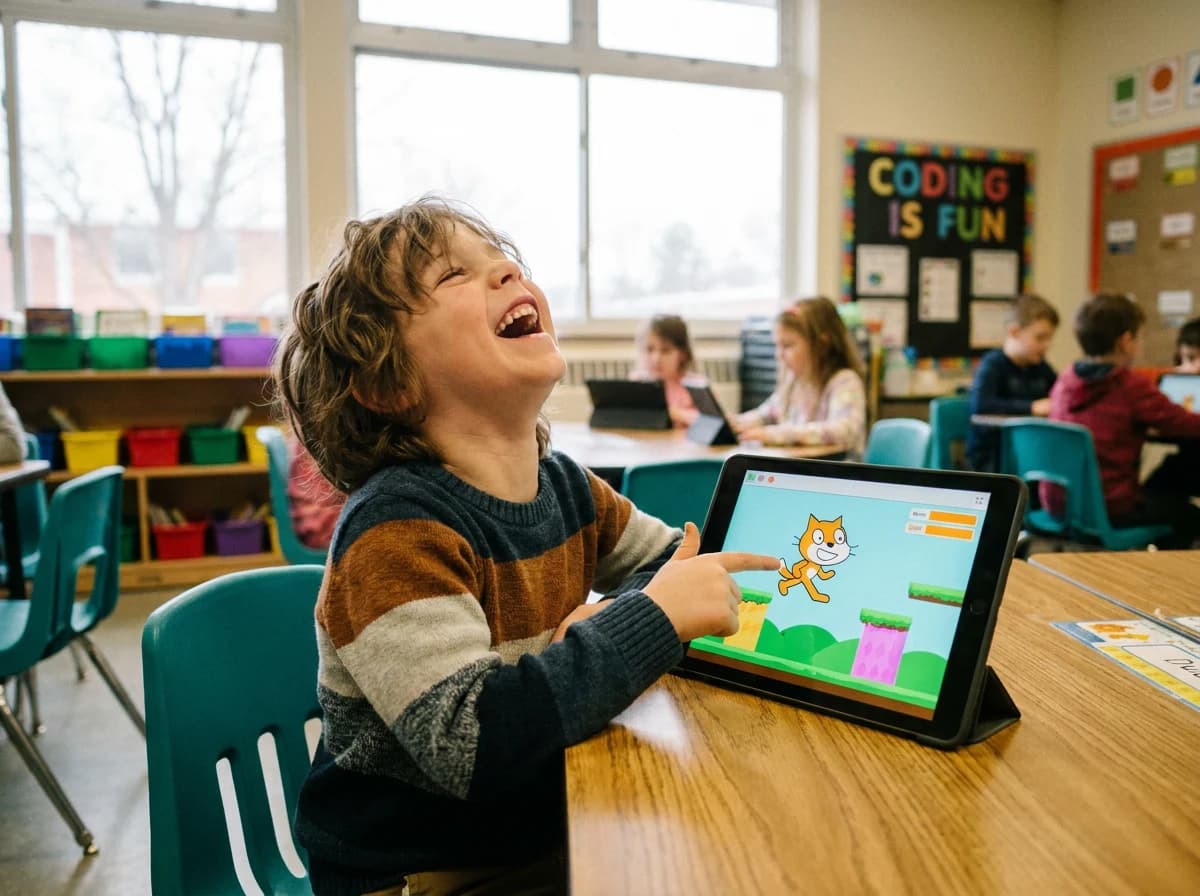
A character, a goal, and rules they wrote themselves.
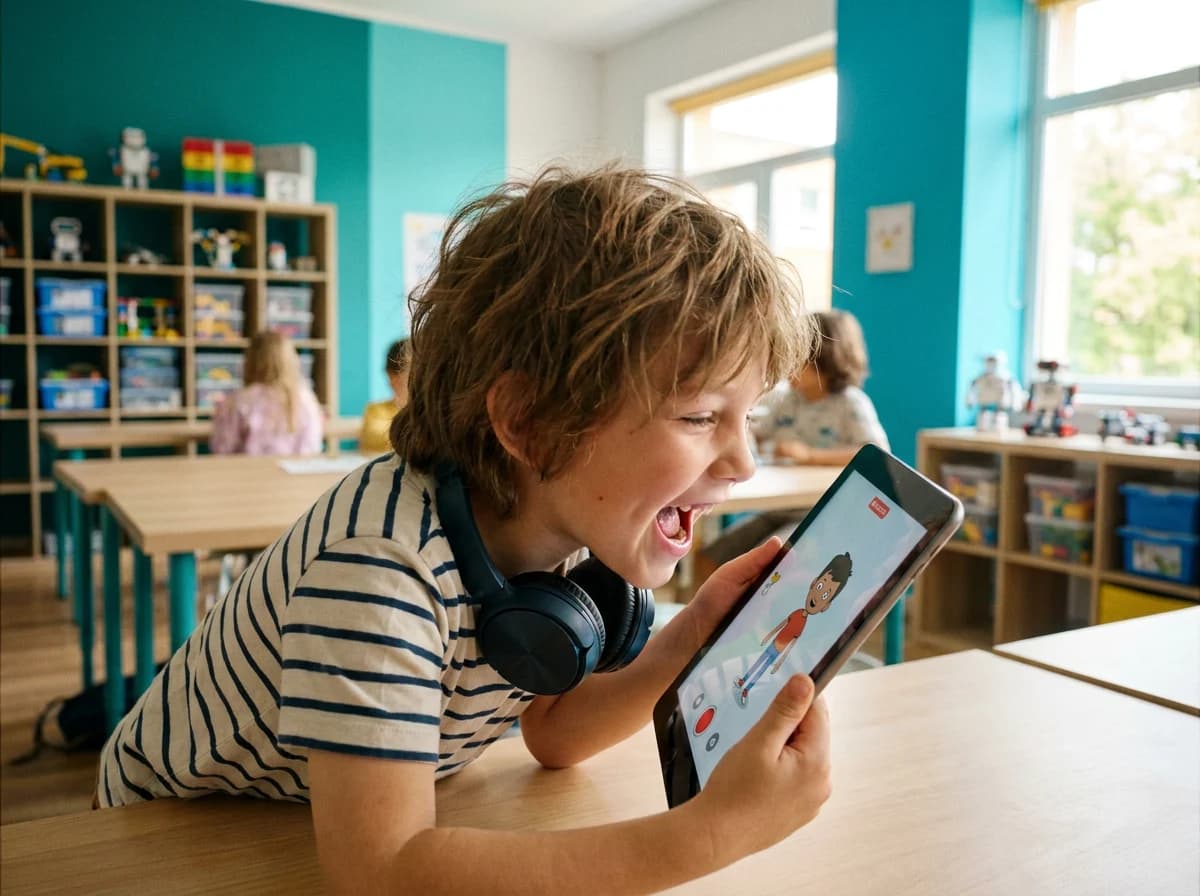
Their own voice, their own characters, triggered by taps.
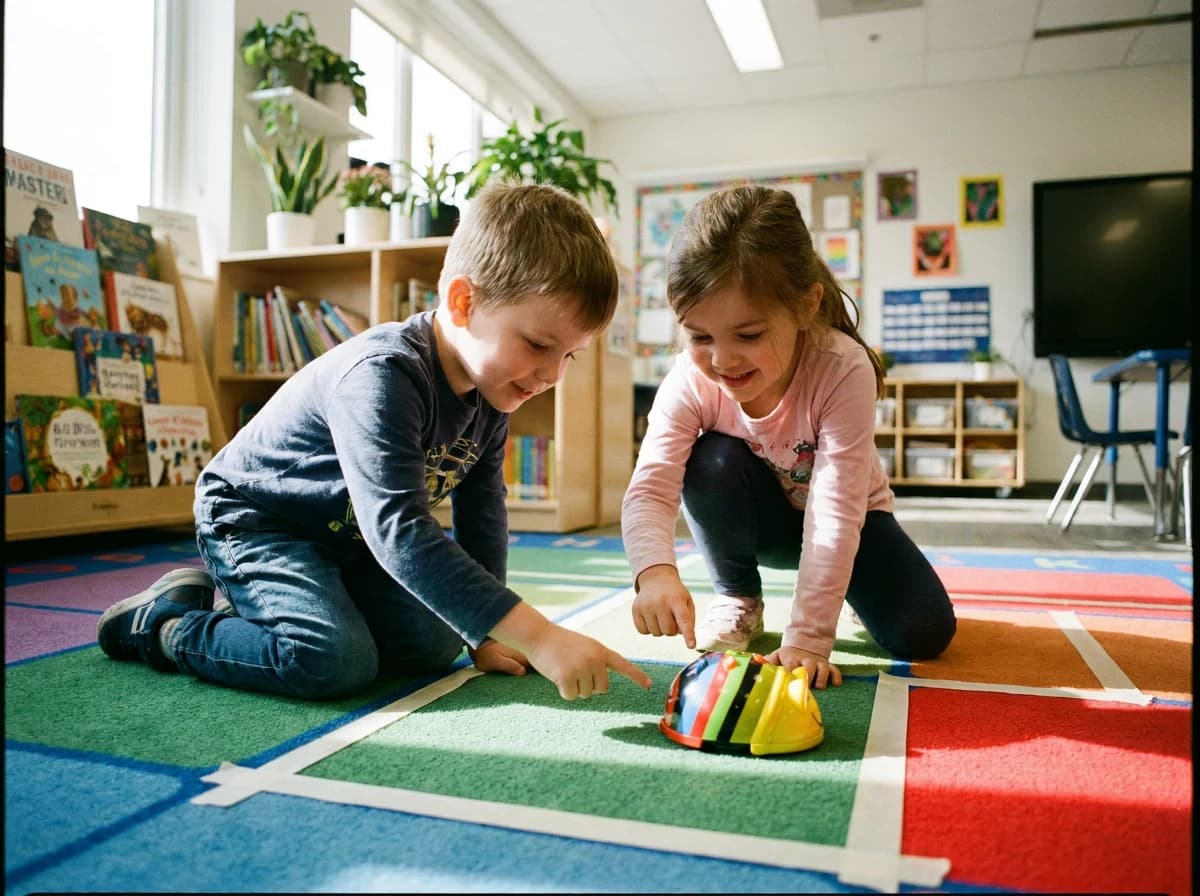
They plan the route, press go, and fix it, with an instructor beside them.
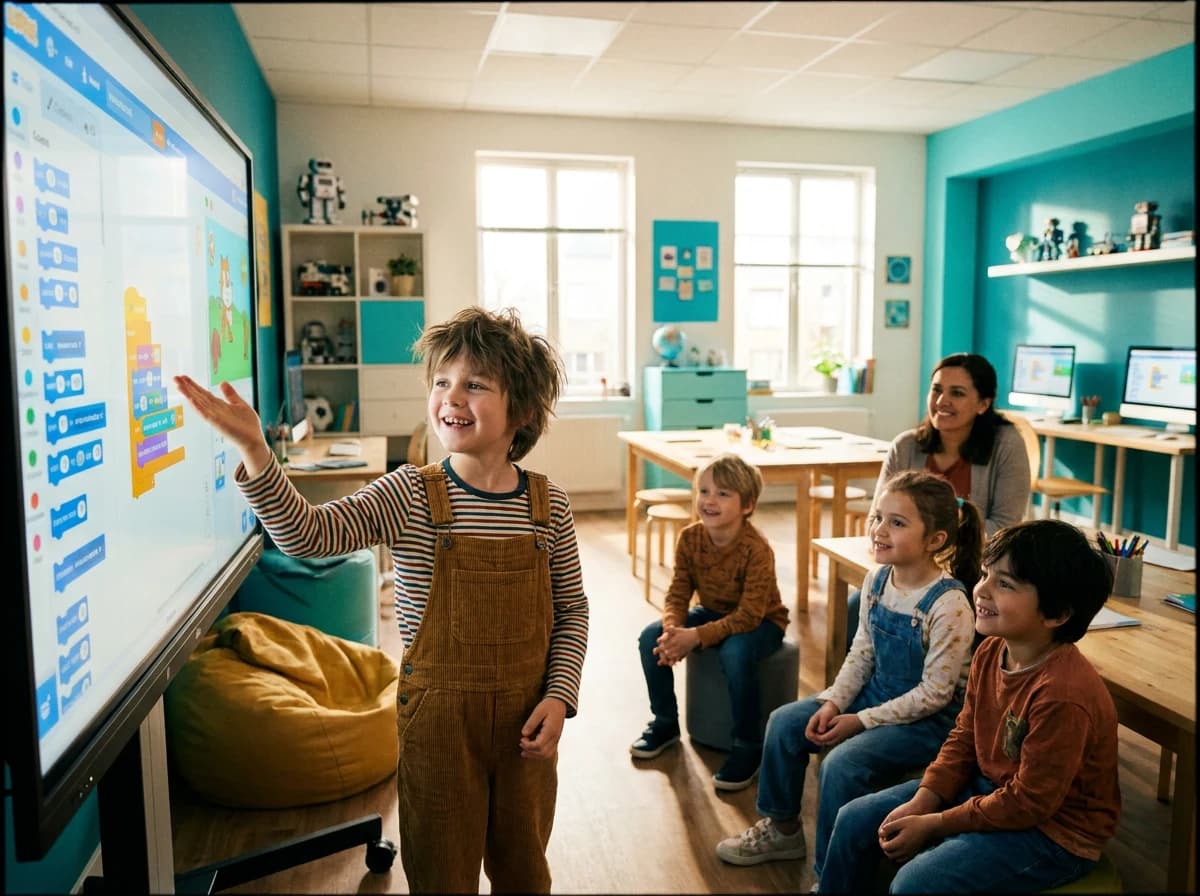
The level ends with your child presenting what they built.
Your child snaps together circuits that actually do something: a light that comes on, a buzzer that sounds. We use Snap Circuits, and an instructor works through it beside them.
Your child always knows which step they are on, and can tell you the difference between the five.
Before anything's on screen, your child describes the steps. Instructions in order, in their own words.
Picture blocks in ScratchJr and codeSpark Academy. Nothing to read, nothing to spell.
It rarely works first time. Finding out why is the lesson, not the setback.
The same thinking drives a robot across the floor, where the mistakes are easy to see.
They present it to the class. Explaining it is how you know they understood it.
Let's be straight with you: a five-year-old isn't building AI.
What they can do at this age is give clear instructions, notice when something's gone wrong, and try again. It isn't flashy, but it's the groundwork everything else is built on, including AI.
The real AI work starts in Junior Creator, once your child can read and type. We'd rather tell you that now than sell you a word.
You choose how often your child comes: once, twice or three times a week. Every session is 60 minutes, with up to six children per instructor.
Coming more often doesn't mean racing ahead. It means more practice at the same skills, which is exactly what five to seven-year-olds need.
One 60-minute session
Best for a five-year-old just settling into a new after-school routine. One project at a time, no rush.
Two 60-minute sessions
Best for most children. Screen work and the robot in the same week, so what they learn on Monday gets used again on Thursday.
Three 60-minute sessions
Best for the child who asks when they can come back. More robot and circuit time, and longer showcases.
Worth a word with the centre first. Not every five-year-old wants this.
Whichever you choose: 60-minute sessions, up to six children per instructor, and a free 60-minute trial class before you decide.
At this age that's the difference between a class and a crowd, and it's the ratio at every centre.
In person at your local centre, once, twice or three times a week. Five, six and seven-year-olds learn together, and every lesson comes in three levels of difficulty.
Every session has some: planning out loud, driving the Dash robot across the floor, snapping a circuit together, and showing each other what they made.
Their project, saved so they can carry on with it, plus a badge for the level and a certificate at the end of it.
“solve problems and create computational representations of mathematical situations using coding concepts and skills.”
In Ontario, coding isn't an extra. It's written into the math curriculum from Grade 1. Junior Thinker gives your child a head start on the same thinking: putting steps in the right order, testing what happens, and fixing it themselves, with an instructor beside them and six children in the room.
Seven-year-olds can start in either of the first two programs. If your child reads comfortably and wants to type, Junior Creator will suit them. If you're unsure, start here. Moving your child up mid-level is easy. Moving them down is discouraging, and we'd rather avoid it.
Seven-year-olds fit either program. What decides it is whether your child is reading confidently and ready to type.
Hear From Parents

5.0 ★ · 7 Google reviews, as at 5 August 2026
“My son is excited every time we come. The teachers are fantastic. Price is super reasonable. The space is clean and professional.”
“Overall fantastic and welcoming environment and teachers. Regular updates on student learning is great, and my son looks forward to his lessons all week.…”
1241 Strasburg Rd, Unit 3, Kitchener, ON, N2R 0S1
| Monday | 4:00 pm to 8:00 pm |
|---|---|
| Tuesday | 4:00 pm to 8:00 pm |
| Wednesday | Closed |
| Thursday | 4:00 pm to 8:00 pm |
| Friday | 4:00 pm to 8:00 pm |
| Saturday | 10:00 am to 3:00 pm |
| Sunday | Closed |

Yes. The program is built for children who can't read yet. Every instruction is a picture, instructors read aloud anything that needs reading, and children work in pairs so nobody's stuck waiting.
Not if they can follow a two-step instruction and sit with something for ten minutes. That's the honest test. If they're not there yet, come back in six months, and we'll tell you at the trial class either way.
No. Every session has time away from the screen: planning out loud, driving a robot across the floor, snapping a circuit together, and showing each other what they made. The screen time that's left is time spent making, not watching.
No. Tablets, robots, circuit kits and everything else are at the centre. If you want your child to keep practising at home, the apps we use are free, and we'll show you which ones.
Every session is 60 minutes, in person at your local centre, and you choose whether your child comes once, twice or three times a week. Each level ends with a showcase class you're welcome to attend.
Six per instructor. Five, six and seven-year-olds learn together, and every lesson comes in three levels of difficulty, so a confident seven-year-old and a brand-new five-year-old work on the same project without either one being bored or lost.
Your child joins a real class for 60 minutes and builds something small and finished. Afterwards the instructor tells you honestly whether Junior Thinker is the right level for them right now. No obligation, no sales call.
Usually around seven or eight, once reading and typing are comfortable. We'll make that call together with their instructor when they're ready. It isn't automatic on a birthday.
Coding sits inside the Ontario math curriculum from Grade 1, under Strand C. Children who've already sequenced, tested and fixed their own instructions meet that work knowing what it is.
Report an absence in the Ultimate Coders parent app at least 8 hours before class to earn a makeup credit. For sudden illness or emergencies, contact your centre as soon as you can. Use your credit to request a makeup class in the parent app. Approved makeups can be cancelled in the app up to 8 hours before they start, and the credit comes back. A missed makeup class is not made up again. Missed classes without notice are not refunded. Get the Ultimate Coders parent app on the App Store or Google Play.

One free class at your local centre. Your child builds something small, and the instructor tells you honestly what they saw.